 Nederlands
 Create Your Own Photo Frame
Here at Djunes, we offer various options for crafting a personalized photo frame that suits your event perfectly. After signing the quote, you will automatically receive a questionnaire, allowing you to choose your photo frame, among other details. Explore our three options for creating a custom photo frame:MAKE YOUR OWN PHOTO FRAME VIA CANVA
If you're eager to get creative and design your unique photo frame, you can! We've created a convenient Canva project where you can craft your own photo frame. Select the "Make Your Own via Canva" option in the questionnaire, and we'll promptly send you the project via email. Follow the instructions in Canva to customize your photo frame to your liking. Once done, easily save the final result and send it back to us.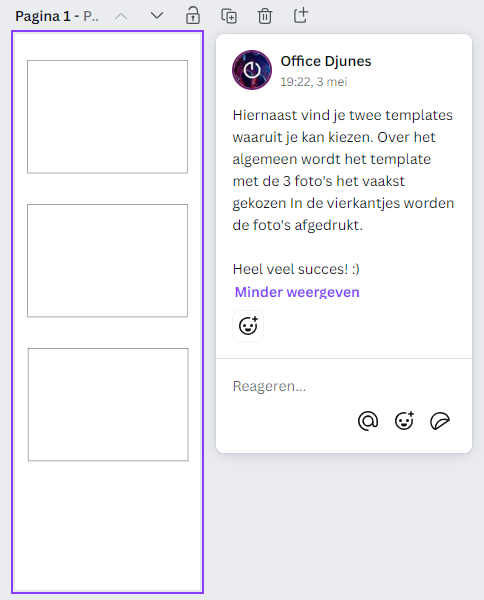
DOWNLOAD YOUR PHOTOBOOTH LAYOUT FRAME BELOW:
Use the right mouse button on the desired template
Photo Frame with 2 Photos

Photo Frame with 3 Photos
.png?1700491568)
Photo Frame with 4 Photos

CREATE PHOTO FRAME USING PHOTOSHOP
If you're skilled with Photoshop and prefer complete control over your photo frame's design, you can choose to craft your own photo frame using Photoshop. Ensure that the design is a .png file with dimensions of 600 x 1800 pixels (2x6 ratio). Once you've created the photo frame yourself, email the .png file to office@djunes.nl. We'll then ensure that your photo frame is seamlessly integrated into our photobooth.These homemade photo frames can serve as lasting reminders of the occasion and are often used as decorative elements. Some people choose to incorporate them into their photobooth guestbooks, offering a delightful way to reminisce about the event and the special people who attended."
-
I haven't received the questionnaire or the Canva link. What now?
Search your inbox for "vragenlijst" (questionnaire) or "Canva", and check your spam folder too. Still can't find it? Email or WhatsApp us and we'll send it again.
-
My Canva design is finished. Do I need to send it to you?
No. You design in the Canva project we share with you, so we can see when it's ready and load it ourselves. Note that you get separate links for the photo frame and the start screen. Make sure your design goes into the right project.
-
Canva shows a watermark on some elements. Do I need Canva Pro?
No. You can use all templates and elements. Premium elements only have to be paid for when the design is downloaded, and we take care of the download.
-
What will cover my design?
The photos from the booth are placed on the open areas of your photo frame. Anything you put in those areas will be covered. So keep text, names and logos outside the photo areas.
-
Do you check my design?
Yes, we check your design before loading it. If something is too close to the edge or unclear, we adjust it or get in touch with you.
-
What is a personalised start screen?
The start screen is the first thing your guests see on the photobooth's touchscreen. You personalise it with your own background, colours and font, plus names, a date or a welcome message. You design it in Canva, just like your photo frame. The start screen costs € 20. More info on this page.